

Introduction
You are losing money every single time your van tires roll on the pavement without a purpose. We all know the feeling. You stare at the schedule board. You see gaps. You see technicians driving across town during rush hour. You know there is a better way to run your business. But the technology landscape keeps changing.
The problem is simple. You need to get the right technician to the right job at the right time. But in 2026 this is harder than ever. Traffic is worse. Customers demand instant answers. And your competitors are using artificial intelligence to book jobs while you sleep.
The solution is choosing the right dispatch software. This is not just about a digital calendar anymore. It is about hiring an AI partner. This guide dives deep into the two biggest players. We look at ServiceTitan and Housecall Pro. We tell you exactly which one fits your business in this new era of AI.
Key Takeaways
- ServiceTitan is for big fleets. If you have more than 15 trucks and want an “autopilot” system that makes decisions for you then this is your choice.
- Housecall Pro is for agility. If you have a smaller team and want an AI “assistant” that helps you move faster then pick this one.
- AI is the new dispatcher. Both platforms now use AI to answer phones and route trucks. You cannot ignore this feature in 2026.
- Implementation is hard. Moving to ServiceTitan takes months of work. Housecall Pro is faster but has growing pains.
- Pricing models are different. ServiceTitan is a high-cost investment for growth. Housecall Pro is a monthly expense that scales with you.
Part 1: The New Reality of Field Service in 2026
What is the state of AI dispatching in 2026?
The short answer: AI dispatching in 2026 has moved beyond simple automation. It now predicts the future. Systems like ServiceTitan use “Titan Intelligence” to guess how much money a job will make before you book it. Housecall Pro uses “AI Agents” that talk to customers for you. The software is no longer a tool. It is a team member.
The Deep Dive:
The world of field service management has shifted under our feet. Back in 2024 people were just starting to talk about “AI.” They used it to write marketing emails or maybe fix a grammar mistake. But now in 2026 the game is different. We are seeing a fundamental change in how we route our trucks.
Think of it like the difference between a paper map and a modern GPS. A paper map shows you the roads. It lets you decide which turn to take. That is how old dispatch software worked. You saw the jobs. You saw the techs. You dragged the job to the tech. But a modern GPS tells you to turn left because there is a traffic jam three miles ahead. It makes the decision for you. That is what AI dispatching does today.1
The technology has matured rapidly. We now have systems that do not just look at distance. They look at profit. ServiceTitan calls this Titan Intelligence. It analyzes thousands of data points from your history. It knows that Technician Steve is great at selling water heaters but bad at fixing heat pumps. It knows that Technician Sarah is fast but she hates driving in the city. The AI takes all this into account. It assigns the water heater job to Steve. It keeps Sarah in the suburbs. It does this instantly.3
Housecall Pro has taken a different path. They focus on the “AI Team.” They built digital employees. They have CSR AI to answer phones. They have Analyst AI to read reports. They have Coach AI to give advice. This approach makes AI feel friendly. It is accessible for the small business owner who does not have an IT degree.4
This shift matters because margins are tighter than ever. Fuel costs are up. Labor is expensive. You cannot afford to have a technician sit in traffic for 45 minutes. You cannot afford to send a sales tech to a simple repair job. The software prevents these mistakes. It acts as a guardrail for your profitability.
How does the “Dispatcher Shortage” affect my software choice?
The short answer: Good dispatchers are impossible to find. They burn out fast. Software helps you fix this. ServiceTitan lets one dispatcher manage twice as many technicians. Housecall Pro uses AI to answer calls so your dispatcher can focus on logistics. You buy software to replace the need for more office staff.
The Deep Dive:
Let us be honest about the hardest job in your company. It is not the technician in the attic. It is the dispatcher in the chair. They have phones ringing in one ear. They have technicians texting them in the other. Customers are angry about wait times. Drivers are angry about traffic. It is a high-stress role. Burnout is real.
In 2026 we see a massive shortage of skilled dispatchers. This is where your software choice becomes a hiring strategy. You are not just buying a calendar. You are buying a tool to save your staff’s sanity.
ServiceTitan addresses this with Dispatch Pro. Their data shows that shops using this tool see a “2x increase in capacity per dispatcher”.1 What does that mean? It means your best dispatcher can handle 30 trucks instead of 15. The software handles the routine “Tetris” of scheduling. It moves the blocks around. It finds the best slot. The human only steps in when there is a real problem. This reduces stress. It lets your dispatcher breathe. They become a “System Monitor” instead of a “Chaos Manager”.3
Housecall Pro helps in a different way. They attack the volume of interruptions. Their CSR AI answers the phone 24/7. It books the job. It puts it on the calendar. This stops the phone from ringing every 30 seconds. Your office manager can actually do their work. They can focus on customer service instead of data entry. This makes the job more enjoyable. It helps you keep your best people.6
Think of it like hiring a robotic assistant. You would not ask your star employee to sweep the floors. So why ask your star dispatcher to answer simple “booking” calls? Let the AI do the sweeping. Let your human do the thinking.
Why is “Predictive Maintenance” the big buzzword this year?
The short answer: Fixing things before they break is the best way to make money. AI now predicts when a part will fail. It schedules the visit automatically. This stops emergency calls. It keeps your schedule smooth. Both platforms are trying to crack this code in 2026.
The Deep Dive:
The “break-fix” model is dying. You know the drill. A customer calls you at 2 AM because their furnace died. You have to scramble. You pay overtime. The customer is unhappy. It is chaotic. The “Predictive Maintenance” model is the future.
In 2026 we see software that talks to the equipment. Smart thermostats and connected units send data back to the office. The AI looks at this data. It sees a wobble in the fan motor. It notices the pressure dropping. It tells you “This unit will fail in two weeks.”
ServiceTitan uses this data to fill your slow days. The AI sees a gap in the schedule next Tuesday. It looks for customers in that area with equipment that needs checking. It suggests a job. It tells the dispatcher “Call Mrs. Jones. Her unit is showing signs of wear. We have a truck in her area next Tuesday.” This is proactive. It turns a potential emergency into a billable maintenance call.7
Housecall Pro uses Coach AI to help with this. It analyzes your customer list. It finds people who haven’t had a tune-up in a year. It generates a marketing campaign for you. It writes the email. It sends the text. It books the appointments. This keeps your board full during the shoulder season.5
This shifts your business from reactive to active. You are not waiting for the phone to ring. You are making it ring. You are controlling your destiny.
Part 2: ServiceTitan Deep Dive
What is ServiceTitan Dispatch Pro really?
The short answer: Dispatch Pro is a premium add-on for ServiceTitan. It is an automated routing engine. It uses complex math to assign technicians. It looks at skills and location. It aims to maximize profit on every single job. It is powerful but expensive.
The Deep Dive:
ServiceTitan Dispatch Pro is the heavy artillery of the industry. It is not just a feature. It is a complete overhaul of how you assign work. It is built for the company that wants to squeeze every drop of efficiency out of their day.
The core of Dispatch Pro is automation. In the old days a dispatcher had to hold the whole map in their head. They had to know that Joe lives in the north and Bob lives in the south. They had to know traffic patterns. Dispatch Pro does this for you. It calculates thousands of possibilities in a second.
It uses something called “Titan Intelligence”.1 This is their brand name for AI. This intelligence looks at three main things:
- Logistics: It knows where everyone is. It knows where they are going. It uses real traffic data. It tries to minimize “windshield time.” Every minute a tech spends driving is a minute they are not billing. Dispatch Pro tries to cut this time down. They claim a 6% decrease in drive time on average.3
- Skills: It knows who can do what. You set up “skills” in the system. You tag technicians. You say “Bill is a Level 5 Plumber” and “Ted is a Level 1 Apprentice.” The system will never send Ted to a complex boiler repair. It prevents the embarrassment of a tech showing up and saying “I don’t know how to fix this”.9
- Performance: This is the secret sauce. The system tracks conversion rates. It knows that Alice sells a service agreement on 40% of her calls. It knows that Dave only sells them 10% of the time. If a high-opportunity call comes in the system will try to give it to Alice. It prioritizes revenue.
There is a new feature called “Dispatch Assist”.10 This was built because dispatchers were scared. They did not trust the “black box.” They wanted control. Dispatch Assist is a compromise. It does not just assign the job. It makes a suggestion. It puts a little badge on the screen. It says “We recommend Mark for this job.” If you hover over it the system explains why. “Mark is closest and has the highest close rate.” This trains your dispatcher. It helps them see the logic. It keeps the human in the loop.
How does the “Job Value Predictor” make me money?
The short answer: The system guesses how much a job is worth before you even arrive. It scans the call notes. It listens to the recording. It flags “big ticket” jobs. It ensures you send your best “closer” to these high-value leads. This prevents missed revenue opportunities.
The Deep Dive:
Imagine you have two calls come in at the same time. One is a “leaky faucet.” The other is “no hot water, unit is 15 years old.” To a tired dispatcher they might look like just two jobs. But to a business owner they are very different. One is a $200 repair. The other is a potential $5,000 replacement.
ServiceTitan’s Job Value Predictor tries to spot the $5,000 job instantly.3 It uses Natural Language Processing (NLP). It reads the text entered by the call taker. It looks for keywords like “old,” “leaking,” “rust,” “replacement.” It assigns a “predicted value” score to the job.
Once the job is flagged as “High Value” the system changes its behavior. It locks that job for your senior technicians. It might even move other jobs around to free up your best seller. It protects that opportunity.
This solves a huge problem. We have all seen it happen. A junior tech gets sent to a replacement lead. They fix the $50 part and leave. They miss the chance to talk to the homeowner about a new system. You lose thousands of dollars in potential revenue. The Job Value Predictor stops this from happening. It ensures your best players are at bat for the big games.
Real-world data suggests this works. Shops using these features report a “1.75x increase in average ticket growth”.3 That is a massive number. It means the software pays for itself just by catching a few of these opportunities each month.
Is the “Implementation Nightmare” real?
The short answer: Yes. Moving to ServiceTitan is hard work. It takes months. You have to clean your data. You have to train your staff. Some companies pay for a year before they go live. You need to be ready for this. It is a project, not a plug-in.
The Deep Dive:
We need to have a serious talk about onboarding. ServiceTitan is not an app you download on your phone. It is an operating system. Installing it is like replacing the engine in your car while you are driving down the highway.
The snippets are full of horror stories. One user said “It takes a long time to onboard and set things up properly”.12 Another filed a complaint saying “We have NEVER BEEN ONBOARDED… we have currently paid for 1 year”.12 These are not isolated incidents.
Why does this happen?
First, ServiceTitan is rigid. It forces you to work their way. If your current workflow is messy the software will break. You have to fix your business processes before you can use the software. This takes time.
Second, the data migration is complex. You have to move thousands of customer records. If your old data is bad (duplicates, wrong addresses) the new system will fail. You have to spend weeks cleaning spreadsheets.
Third, the training curve is steep. Your technicians will hate it at first. The mobile app forces them to click a lot of buttons. They have to fill out forms. They have to take photos. If they don’t do it the system won’t let them close the job. You will face resistance from your field staff.14
However, the companies that survive this process usually love it. Once the system is running it is a machine. But you must go in with your eyes open. Do not expect to sign a contract on Friday and start dispatching on Monday. Expect a 3-to-6 month project. Expect to hire a consultant or assign a dedicated “champion” in your office to run the implementation.
Is ServiceTitan worth the high price tag?
The short answer: It depends on your size. If you have 20 trucks the efficiency gains pay for the cost. If you have 3 trucks the overhead will crush you. The add-ons like Dispatch Pro cost extra. You need to do the math carefully.
The Deep Dive:
ServiceTitan is the most expensive option on the market. There is no getting around that. They target the “mid-market to enterprise” sector. They want the big fish.
The pricing is complicated. They do not publish it on their website. You have to negotiate. But we can look at the data we have.
Base usage is often around $200-$350 per technician per month.15
Then you add Dispatch Pro.
If you have fewer than 14 techs this add-on costs around $138 per month per tech.16
If you have 100 techs the price drops to $81 per month per tech.
Let’s do the math for a 10-truck company.
Base cost: $300 x 10 = $3,000/month.
Dispatch Pro: $138 x 10 = $1,380/month.
Total: $4,380 per month. That is over $50,000 a year.
Is it worth it?
If Dispatch Pro helps you book just one extra install a month that you would have missed then yes. If it saves your dispatcher 20 hours of overtime a month then yes. If it increases your average ticket by 14% across 1,000 jobs then yes.
The ROI is there but only if you have the volume. For a small shop doing $500k a year a $50k software bill is insanity. For a shop doing $10M a year it is a smart investment.3
Part 3: Housecall Pro Deep Dive
What is the “AI Team” and how does it help?
The short answer: The AI Team is a group of digital assistants. CSR AI answers phones. Analyst AI answers questions about your data. Coach AI gives business tips. They are built to be simple. You do not need to configure complex rules. You just turn them on.
The Deep Dive:
Housecall Pro knows its customers. They know that the average plumber does not want to write code. They want help. So Housecall Pro built the “AI Team.” This is a brilliant marketing move but it is also a very useful feature set.
CSR AI (Customer Service Rep): 4
This is the star of the show. It is a voice and text bot. It lives in your phone system. When a customer calls and you are busy the CSR AI picks up. It talks to the customer. It sounds natural. It has access to your calendar.
It asks “What is the problem?”
The customer says “My toilet is overflowing.”
The AI says “I can help with that. I have an opening at 2 PM. Does that work?”
It books the job. It puts it on the schedule.
This is 24/7 coverage without paying a call center. For a small business owner who is tired of answering calls at dinner time this is life-changing.
Analyst AI: 5
Reporting is boring. No one likes staring at spreadsheets. Analyst AI fixes this. It is like ChatGPT for your business data.
You can type a question: “Who are my top 5 customers this year?”
The AI scans your database. It gives you a list.
You ask: “How much money did we make on zip code 90210?”
It gives you the number.
This democratizes data. You don’t need to be an Excel wizard. You just need to know how to ask a question.
Coach AI: 4
This one is proactive. It looks at your business and offers tips. It might say “Hey, you have 50 customers who haven’t had a service in 12 months. Should we send them an email?” It acts like a business consultant.
Marketing AI: 17
This tool writes content for you. Need a description for a new service on your invoice? It writes it. Need a response to a Google Review? It writes it. It saves you from having to be a professional writer.
How does “Smart Dispatching” compare to ServiceTitan?
The short answer: It is simpler. It does not run the whole show. It helps the human decide. It uses drag-and-drop. It shows drive times. It is great for visual people. It lacks the deep algorithmic “brain” of ServiceTitan but it is easier to use.
The Deep Dive:
Housecall Pro calls their system “Smart Dispatching”.18 It is different from ServiceTitan’s “Automated Dispatching.”
ServiceTitan tries to replace the decision. Housecall Pro tries to improve the decision.
The interface is a classic calendar board. You see your techs as rows. You see the jobs as blocks. You drag the block to the tech.
When you drag a job the system calculates the drive time instantly. It warns you “This will cause a 45-minute drive.” It suggests “Technician B is closer.”
It optimizes the arrival window. It looks at the traffic and tells you “Tell the customer we will be there between 10 and 12.” This helps you hit your windows.19
It sends “On My Way” texts automatically. This tracks the tech via the mobile app GPS. The customer gets a link. They can see the truck moving. This is the “Uber experience” that customers expect now.18
The downside? It is still manual. If you have 50 jobs to book you have to drag 50 blocks. ServiceTitan would just slot them all in for you. Housecall Pro relies on you to do the work. It just makes the work easier. For a fleet of 5 trucks this is fine. For a fleet of 50 it becomes a nightmare.15
Why is the mobile app a “Technician Favorite”?
The short answer: It is easy. It looks like a modern iPhone app. It is not clunky. Techs can create estimates in seconds. They can take photos. It works well even with bad signal. It empowers the tech to be a salesperson.
The Deep Dive:
Technicians are hard to please. They hate paperwork. They hate slow apps. Housecall Pro wins here because they focus on “consumer-grade” design. Their app feels like Instagram or Uber. It is intuitive.
Features tech love:
- Visual Pricebook: They can show the customer a picture of the faucet on the iPad. They can tap to add it to the invoice. It looks professional. It builds trust.20
- HCP Cam: They can take a video of the broken part. They can draw on the screen to circle the crack. They save this to the job. It proves to the customer that the repair is needed.21
- Speed: It loads fast. It syncs fast.
- Flexibility: If a tech needs to change something they can. ServiceTitan often locks them out of changes. Housecall Pro treats them like adults.
This matters because user adoption is the #1 reason software implementations fail. If your techs refuse to use the app your data is garbage. Housecall Pro makes it easy for them to say “yes”.22
Are there hidden costs in Housecall Pro?
The short answer: Yes. The low advertised price is for the basic version. If you want the AI features you pay more. You need the “Max” plan. You pay extra for “Force” add-ons. The price creeps up as you grow.
The Deep Dive:
Housecall Pro advertises a starting price of around $59/month.22 This sounds amazing compared to ServiceTitan. But be careful. This is for the “Basic” plan. It is very limited.
To get the good stuff you need to upgrade.
- Essentials Plan: ~$149-$189/month. This gives you QuickBooks sync and better reporting.24
- MAX Plan: This is custom pricing, often $300+ per month. You need this for the advanced API, the dedicated account manager, and some of the AI features.24
- Add-ons:
- AI Team: Often bundled in Max or sold separately.
- Extra Users: Each additional office user or tech costs ~$35/month.25
- Profit Rhino: If you want the fancy flat-rate price book integration, that is an extra fee.25
So a 10-truck company on Housecall Pro might pay:
Max Plan Base: $300
10 Techs x $35: $350
AI Add-ons: $100
Total: $750/month.
This is still much cheaper than ServiceTitan ($4,380/month). But it is not $59. You need to budget realistically.
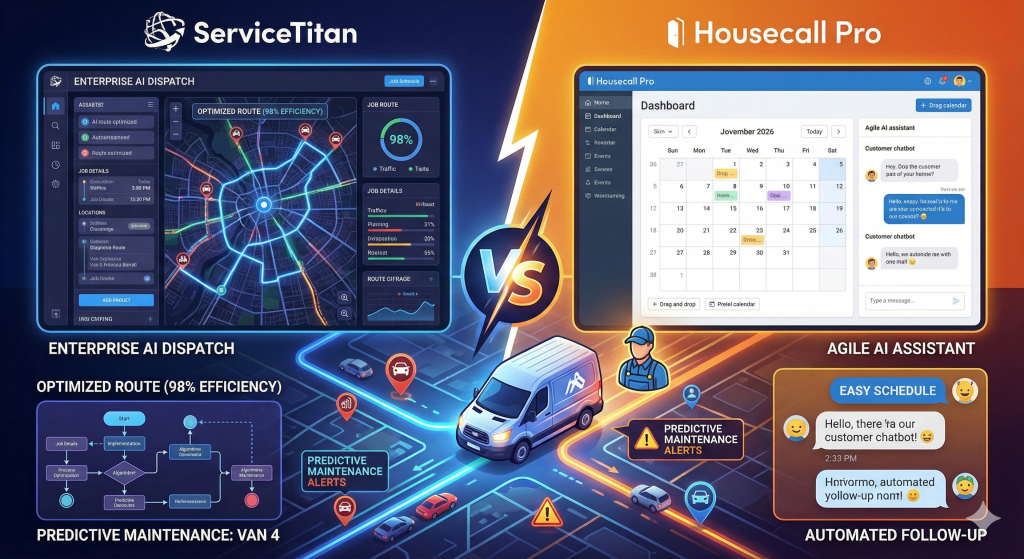
Part 4: Head-to-Head Feature Battles
Scheduling: Drag-and-Drop vs Algorithmic Tetris
The Direct Answer: Housecall Pro wins for simplicity and visual control. ServiceTitan wins for pure volume and automated optimization.
Elaboration:
Think of Housecall Pro like a game of checkers. You can see all the pieces. You move them one by one. It is easy to understand. You are in total control. The drag-and-drop interface is smooth. You can color-code jobs. It is perfect for a dispatcher who wants to “feel” the schedule.23
Think of ServiceTitan like a game of 3D Chess played by a computer. The pieces move themselves. The computer is thinking 10 moves ahead. It is hard to understand why it made a move sometimes. But it wins the game. The algorithmic routing handles complex constraints that would break a human brain. It manages skills, parts, traffic, and profit all at once.3
Customer Alerts: The “Uber” Experience
The Direct Answer: It is a tie. Both platforms offer excellent tracking features.
Elaboration:
In 2026 customers expect to track everything. They track their pizza. They track their Amazon package. They want to track their plumber.
ServiceTitan offers a polished experience. The text message looks corporate and clean. It shows the tech’s bio. It builds trust before the knock on the door.26
Housecall Pro’s “On My Way” system is equally good. It uses the phone’s GPS. It updates in real-time. It reduces phone calls to the office asking “Where is he?”.23
The difference is in the setup. ServiceTitan requires more configuration. Housecall Pro works out of the box.
Reporting: SQL vs Natural Language
The Direct Answer: Housecall Pro wins for the average user. ServiceTitan wins for the data analyst.
Elaboration:
ServiceTitan has massive reporting power. You can build almost any report you can imagine. But you have to know how to build it. It is complex. You might need to hire a consultant just to set up your dashboards. But once they are set up they are incredibly deep.11
Housecall Pro uses Analyst AI to bypass the complexity. You don’t build reports. You ask questions. “Show me revenue by tech.” This is the future of reporting. It makes data accessible to the busy owner who doesn’t have time to learn a new software language. It is less powerful but much more usable.17
Mobile Workflow: Rigid vs Flexible
The Direct Answer: Housecall Pro wins for technician happiness. ServiceTitan wins for data enforcement.
Elaboration:
We mentioned this before but it is worth repeating. ServiceTitan is strict. It forces the tech to follow a process. This is good for the owner because it guarantees the data is collected. It guarantees the liability waiver is signed. But techs hate it. It feels like a straightjacket.27
Housecall Pro is loose. It lets the tech work how they want. They can skip steps. They can jump to the invoice. This is faster. Techs love it. But it means you might get incomplete data. You might have a tech forget to take a “before” photo because the app didn’t force them to. You have to decide if you want speed or control.
Part 5: The Horror Stories (Real World Examples)
We need to look at the dark side. Every software company has unhappy customers. Reading the “nightmares” helps you avoid them.
ServiceTitan’s “Implementation Hell”
The most consistent complaint about ServiceTitan is the setup process.
The Story: A medium-sized plumbing company signs a contract. They are excited. They pay the $10,000 implementation fee. They are assigned an “Onboarding Specialist.”
Then the trouble starts. The specialist is busy. Meetings get rescheduled. The data migration fails because the customer’s QuickBooks file was messy. Weeks turn into months.
Six months later the company is still paying the monthly subscription but they are not using the software. They are stuck in limbo. They are angry.
The Lesson: If you choose ServiceTitan you must assign a dedicated person on your team to manage the launch. You cannot just “wing it.” You need to clean your data before you start. You need to be aggressive with the onboarding team.12
Housecall Pro’s “Glitches”
The complaints about Housecall Pro are usually about bugs.
The Story: A technician is in a basement. He has no cell signal. He takes 20 photos of the water heater. He writes detailed notes. He hits “save.”
The app crashes.
Because he was offline the data didn’t sync. He lost everything. He has to do it all again. He is furious.
Or, the CSR AI gets confused. A customer asks a complicated question about a warranty. The AI gives a generic answer. The customer gets frustrated and hangs up. You lose the job.
The Lesson: Housecall Pro moves fast. They release new features constantly. Sometimes they break things. You need to be patient with bugs. You need to train your techs on how to handle “offline mode” carefully.28
Part 6: Return on Investment (ROI)
How do you justify the cost? Let’s look at the numbers.
The Math for ServiceTitan
ServiceTitan is expensive but it aims to increase revenue.
Scenario: You have 10 techs.
Annual Revenue: $2,000,000.
Software Cost: $50,000/year.
Goal: Increase average ticket by 10%.
If ServiceTitan’s Job Value Predictor and Pricebook Pro help your techs sell better options, and your average ticket goes from $500 to $550, your revenue jumps to $2,200,000.
Gain: $200,000.
Cost: $50,000.
Net Profit: $150,000.
The ROI is massive if you use the features to drive sales.3
The Math for Housecall Pro
Housecall Pro is cheaper and aims to decrease costs.
Scenario: You have 3 techs.
Annual Revenue: $500,000.
Software Cost: $5,000/year.
Goal: Save office labor.
Without software you need a full-time dispatcher costing $40,000/year.
With CSR AI and online booking you can handle the volume with a part-time admin costing $20,000/year.
Savings: $20,000.
Cost: $5,000.
Net Profit: $15,000.
The ROI comes from payroll savings and efficiency.6
Part 7: Migration Guide
Moving from paper (or old software) to AI dispatching is scary. Here is how to do it safely.
- Clean Your Data: This is step one. Go through your customer list. Delete duplicates. Fix addresses. If you put garbage data into an AI system you will get garbage results.
- Get Buy-In: Talk to your technicians. Tell them why you are doing this. “This software will stop you from driving across town for no reason.” “It will help you sell more and earn bigger commissions.” If they think it is just a tracker they will fight you.
- Start Slow: Do not turn on all the AI features on day one. Start with manual dispatching. Let the team get used to the app. Then turn on Dispatch Assist. Then turn on Auto-Dispatch. Let trust build over time.
- Test the Phones: If you use Housecall Pro’s CSR AI, call it yourself. Pretend to be a customer. See how it handles a tricky request. Tweak the settings until it sounds right.
- Run Parallel: If possible keep your old calendar running for a week alongside the new one. It is double work but it is a safety net.
Conclusion
The choice between ServiceTitan and Housecall Pro in 2026 is not about “which software is better.” They are both excellent. It is about “who are you?”
If you are an Empire Builder—if you want to grow to 50 trucks, dominate your market, and run a data-driven machine—you need ServiceTitan. It is the only platform that handles the complexity of scale. It will cost you money and sweat to set up but it gives you a competitive moat.
If you are an Agile Operator—if you love your craft, want to keep your team tight, and want technology to be a helper not a boss—you need Housecall Pro. It brings the power of AI to the small business. It makes you look like a giant without the overhead of being one.
Which path will you choose? Are you ready to hand over the keys to the AI, or do you just want a really smart co-pilot? Let us know in the comments below how you plan to tackle the dispatching challenges of 2026.
Works cited
- Titan Intelligence | ServiceTitan, accessed January 7, 2026, https://www.servicetitan.com/features/titan-intelligence
- AI in Field Service Management: Future Trends and Applications, accessed January 7, 2026, https://www.fieldax.com/blog/ai-in-field-service-management-future-trends-and-applications/
- Dispatch Pro | ServiceTitan, accessed January 7, 2026, https://www.servicetitan.com/features/pro/dispatch
- 2025 AI Industry Report – The AI-assisted skilled trades Pro: How the field is leading the future of work, accessed January 7, 2026, https://www.housecallpro.com/wp-content/uploads/2025/07/071525-AI-Industry-Report-final.pdf
- AI Assistants for Service Businesses to Automate, Scale & Grow – Housecall Pro, accessed January 7, 2026, https://www.housecallpro.com/features/ai-team/
- 24/7 AI Customer Service Assistant for Home Services – Housecall Pro, accessed January 7, 2026, https://www.housecallpro.com/features/ai-team/csr-ai/
- Top Field Service Management Trends for 2025 – ReachOut Suite, accessed January 7, 2026, https://www.reachoutsuite.com/top-trends-in-field-service-management-every-service-business-must-know
- Field Service Trends to Watch For in 2025 – FieldEdge, accessed January 7, 2026, https://fieldedge.com/blog/field-service-trends-in-2024/
- ServiceTitan Dispatch Pro: How to Implement to Maximize Profit with AI, accessed January 7, 2026, https://www.servicetitan.com/podcasts/mastering-servicetitan/ashley-leege-interview
- Winter 2025 Release (ST-72) – CSR/Dispatcher – ServiceTitan Knowledge Base, accessed January 7, 2026, https://help.servicetitan.com/release-notes/winter-2025-release-st-72-csr-dispatch
- Spring 2025 Release (ST-73) – Commercial – ServiceTitan Knowledge Base, accessed January 7, 2026, https://help.servicetitan.com/release-notes/spring-2025-release-st-73-commercial
- ServiceTitan Reviews: Pros, Cons, and Criticisms (2025) – OneCrew, accessed January 7, 2026, https://www.getonecrew.com/post/servicetitan-reviews
- ServiceTitan Review 2026: Pricing, Pros, Cons & Drawbacks – FieldCamp, accessed January 7, 2026, https://fieldcamp.ai/reviews/servicetitan/
- What’s your biggest problem with Service Titan? : r/HVAC – Reddit, accessed January 7, 2026, https://www.reddit.com/r/HVAC/comments/1c4g3pi/whats_your_biggest_problem_with_service_titan/
- Housecall Pro vs ServiceTitan: 2026 Software Comparison – FieldCamp, accessed January 7, 2026, https://fieldcamp.ai/compare/housecall-pro-vs-servicetitan/
- Dispatch PRO – Overview page – PLG – ServiceTitan, accessed January 7, 2026, https://plg.servicetitan.com/dsp
- Fall 2025 Product Updates: New Tools to Work Faster & Smarter – Housecall Pro, accessed January 7, 2026, https://www.housecallpro.com/resources/fall-2025-product-updates/
- A Behind-the-Scenes Look at FieldEdge Costs, Features, and Reviews – Housecall Pro, accessed January 7, 2026, https://www.housecallpro.com/resources/fieldedge-pricing-costs-features-and-reviews/
- Best HVAC Software Features Every Business Needs in 2025, accessed January 7, 2026, https://www.fieldax.com/blog/best-hvac-software-features-every-business-needs-in-2025/
- Price Book Software for Home Service Businesses – Housecall Pro, accessed January 7, 2026, https://www.housecallpro.com/features/price-book/
- 2025 Spring Updates That Help Pros Go Further, Faster – Housecall Pro, accessed January 7, 2026, https://www.housecallpro.com/resources/news-press/release-notes/spring-2025-product-updates/
- HouseCall Pro vs Jobber vs ServiceTitan: Tested & Compared – Contractor Plus, accessed January 7, 2026, https://contractorplus.app/blog/housecall-pro-vs-jobber-vs-servicetitan
- Housecall Pro Reviews 2026: Features, Pricing, Pros & Cons – FieldCamp, accessed January 7, 2026, https://fieldcamp.ai/reviews/housecall-pro/
- Answering Service Cost Per Month – How Much & Fees Breakdown – Housecall Pro, accessed January 7, 2026, https://www.housecallpro.com/resources/how-much-does-an-answering-service-cost/
- Housecall Pro Pricing & Plans Cost Information, accessed January 7, 2026, https://www.housecallpro.com/pricing/
- ServiceTitan vs Housecall Pro | 2025 Comparison & Analysis, accessed January 7, 2026, https://www.servicetitan.com/comparison/servicetitan-vs-housecall-pro
- Looking for HVAC software recommendations – what’s worth the money : r/hvacadvice, accessed January 7, 2026, https://www.reddit.com/r/hvacadvice/comments/1p1pkgi/looking_for_hvac_software_recommendations_whats/
- Jobber vs Housecall Pro: July 2025 Comparison – Contractor Plus, accessed January 7, 2026, https://contractorplus.app/blog/jobber-vs-housecall-pro
- AI in Customer Service: How to Use AI to Save Time & Win Jobs – Housecall Pro, accessed January 7, 2026, https://www.housecallpro.com/resources/ai-in-customer-service/